Clients and communication in the web panel
Find, add and edit clients, bookings, consent and communication channels.
Client list
Search by name, email or phone. The table shows contact details, confirmation that the data may be used, and available actions.
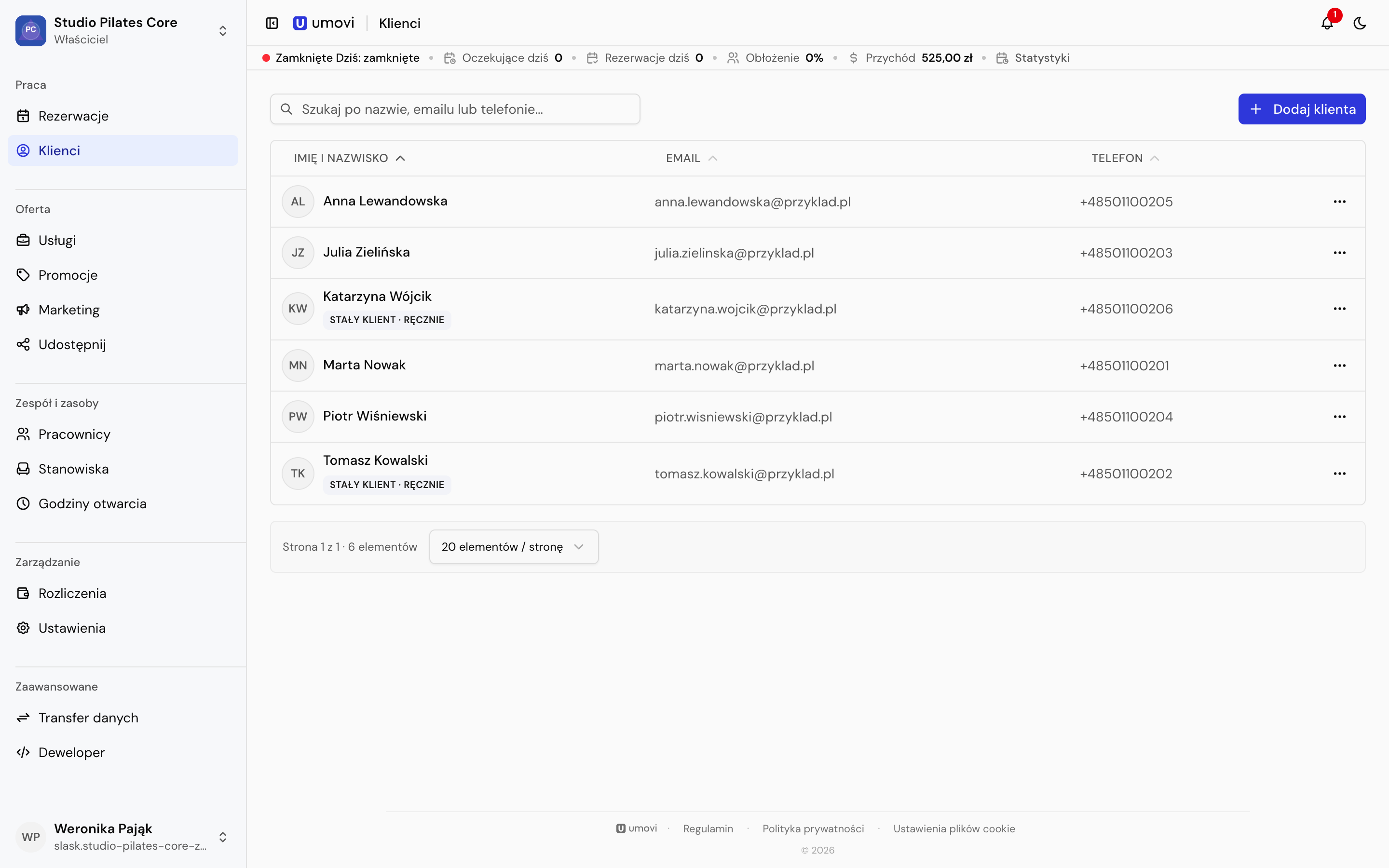
Add a client
- Select Add client.
- Enter their first and last name and at least an email address or phone number.
- Confirm that their details may be used to manage bookings.
- Set booking communication channels.
- Optionally record voluntary marketing consent and send an Umovi invitation.
Use international phone numbers, for example +48123456789.
Client profile
Profile contains details, a note, the linked account and communication settings. Bookings lets you search by code, filter dates and change the order.
Clients with a linked Umovi account manage some communication settings themselves. Sync from linked account refreshes their profile details.
Client records and record templates
Open the client record from their profile. Add a standard Information, Preference or Important entry, or choose an active template under Entry type. Complete the required fields and save. Client records are for the team; they are separate from booking conversations and individual booking internal notes.
Owners and managers manage forms in Record templates:
- Choose Create template, then enter a name and label colour.
- Add fields and set their order, labels and required status.
- Choose short or long text, a number, a single-choice or multiple-choice list, or attachments. Add list options; for attachments, select allowed formats and a file limit.
- Publish the template. The team can complete it in the web panel and Umovi Calendar.
A template can contain up to 30 fields, including up to five attachment fields. Each entry can contain at most five files in total. A field can allow JPEG/PNG only, or also PDF; follow the displayed file size and count limits. During editing, add, replace or remove attachments within those limits.
Template changes and archiving
Compatible changes update the current template and existing entries. If a change removes answers or requires more information, choose Create copy or Overwrite template. A copy preserves the previous template and its entries. Overwriting requires existing entries to be adapted on their next edit: review warnings about removed answers and complete required fields before saving.
Archiving prevents new entries from using the template, while existing entries remain readable and editable. Use the status filter to find archived templates and restore them. Changing an entry type asks you to discard unsaved answers and selected attachments.
See Client records and attachments for the phone workflow.
Regular clients and deletion
Regular-client status can be set manually or automatically based on completed bookings. Withdrawing permission to use the data may delete the client record, so the panel asks for confirmation.
Mobile equivalent: Client list and profile.