Booking centre in the web panel
Use the list, confirmation queue, week and team day views.
PathWeb panel → Bookings
Four views
- List — bookings for a day or date range.
- To confirm — pending requests and times changed by clients.
- Week — one employee's weekly calendar.
- Team day — employee calendars side by side for one day.
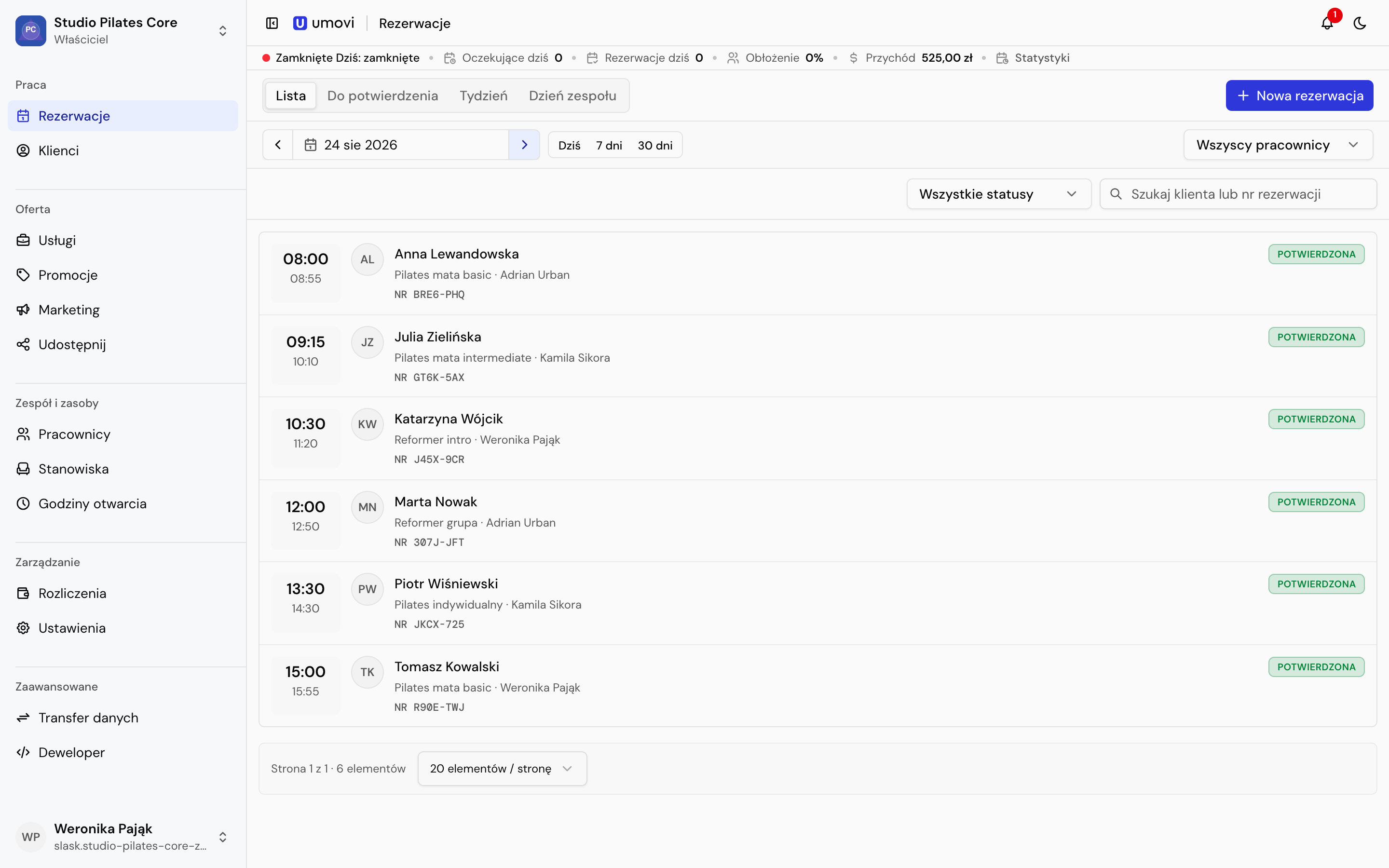
Dates and filters
- Select the date button above the list.
- Use Today, 7 days or 30 days.
- Choose an employee or the whole team.
- Select a status or enter a client name or booking code.
Confirm several bookings
In To confirm, select rows and choose Confirm selected. When cancelling several bookings, provide a shared reason. The result shows successful and failed changes.
Open details
Select a row to open the booking in the workspace. You can keep several tabs open. Closing a tab with unsaved changes requires confirmation.
Mobile equivalent: Booking list and search.