Web panel overview
Find your way around the place workspace in your browser.
PathWeb panel → choose a place
The left sidebar organises the panel into five areas.
Work
- Bookings — list, confirmation queue, week and team day calendars.
- Statistics — date filters, booking results, team and service comparisons.
- Clients — profiles, bookings, communication and consent.
- Record templates — team forms, fields, attachments and archiving.
Services and promotion
- Services — categories, prices, durations, visibility, employees, workstations and media.
- Promotions — discount rules and active periods.
- Marketing — campaigns and messaging when available in your plan.
- Share — links and QR codes for a place, service or service with an employee.
Team and resources
- Employees — profiles, accounts, statuses, photos, calendars and service assignments.
- Workstations — resources needed to perform services.
- Opening hours — weekly schedules and date ranges.
Management and advanced tools
- Billing — plan, usage, invoice details, documents and payment methods.
- Settings — place details, booking rules and notification channels.
- Data transfer — imports, exports and transfer history.
- Developer — integration clients and webhooks.
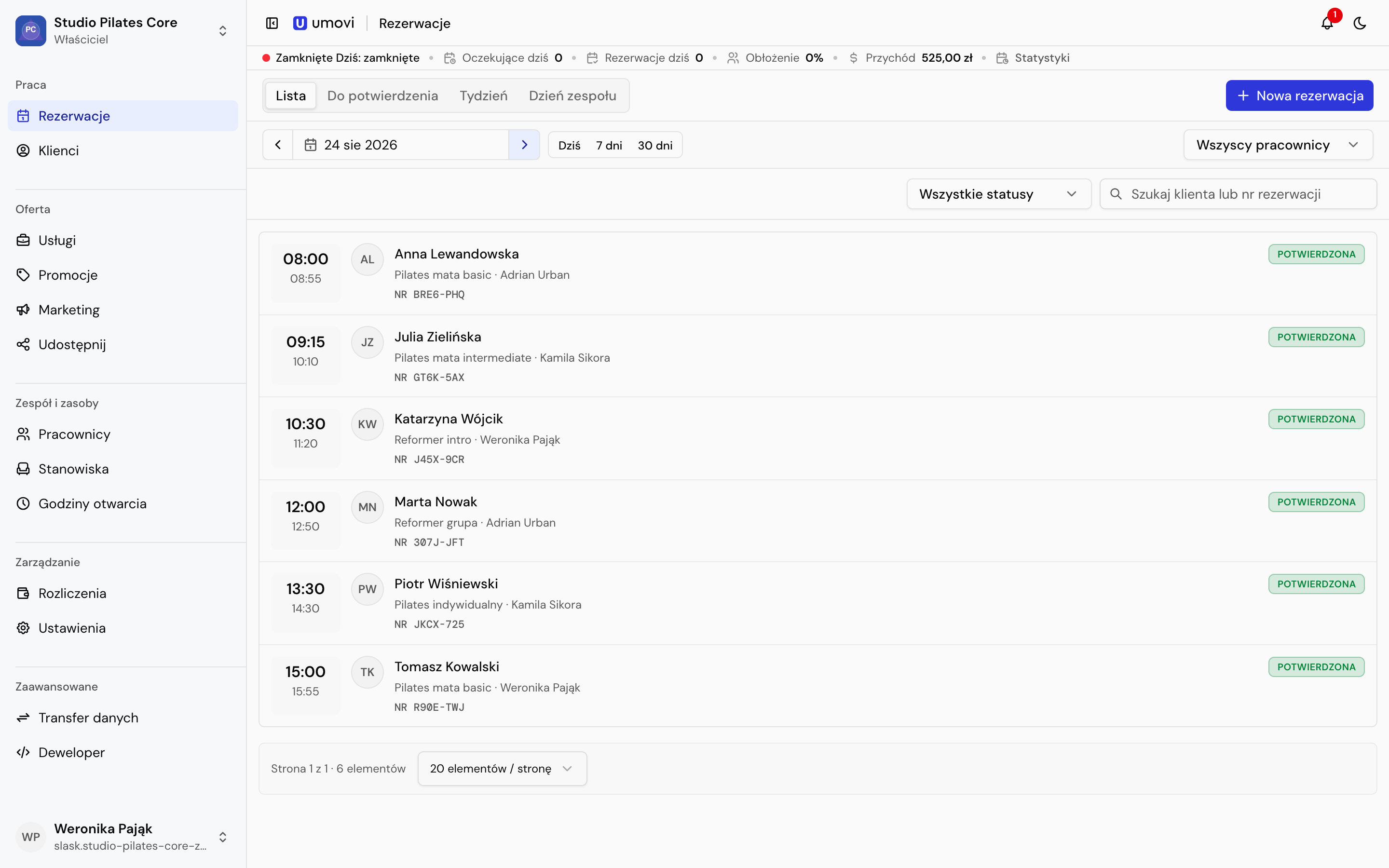
Header and operational summary
The header contains the current section, notifications and theme controls. The operational summary shows today's opening hours, pending bookings, booking count, utilisation and revenue. Select an indicator to open its related view. See Statistics for longer periods.
For work on your phone, use the separate Umovi Calendar guide.